Corridor 99 - History 
In early 2001, while searching for some cool new games to install on my shiny new TI-92+, I came across Tom Nussbaumer’s FAT (Fixed Angle Texturing) ray casting engine. It was a simple demo: No doors, no sprites… just a cool 3D maze with a high FPS. I messed with some of the demos during my college chemistry class (while I should have been paying attention… heh) and decided to try and figure out how to build a simple combat-maze type game… my original inspiration was the Gameboy game Faceball.
In April of 2001, I downloaded the TIGCC compiler, and built my first program for the TI-92+. It was a permutation of the FAT Demo 1, but with new textures and a basic HUD system that fit within the confines of the 240x128 pixel screen. Although it had no name, Corridor 99 had begun…
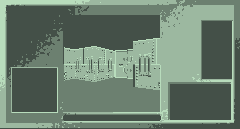 A very early screenshot |
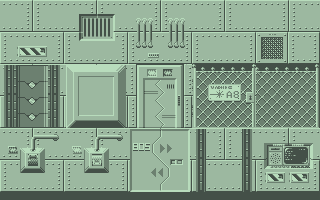 ` 15 original walls |
The first game was actually called Corridor 92, a portmanteau of the ‘corridors’ you traverse in the game, and the calculator running the game, TI-92+. I also may have been inspired by the old PC FPS game Corridor 7. Development was slow at first as I cobbled together various tools to build graphics and maps. I worked quietly in the background.
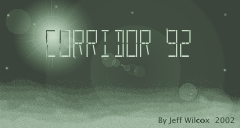 An 8-bit C92 Titlescreen |
I used a program called CORRMAP to build my levels for Corridor 92. It is entirely written in QBasic, and supported up to 24x24 maps, doors, switches, enemies, objects, items, terminals, exits and starting points.
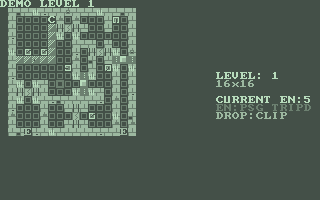 An old CORRMAP screenshot of level 1 |
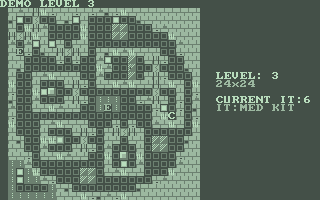 CORRMAP screenshot of level 3 |
All graphics were either converted to 2-bits-per-pixel using iStudio, or drawn from scratch using Image92 another QBasic program written specifically for Corridor 92.
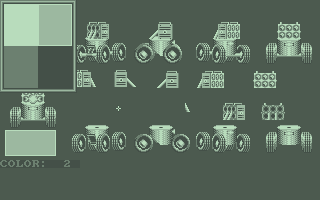 Screenshot of Image92 |
I didn’t actually become active on the TICT message boards until January of 2002. Sprites still had yet to be fully supported within FAT but that didn’t stop me from going ahead and generating some sprites:
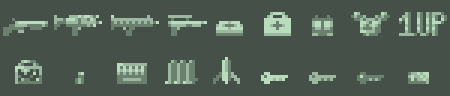 Original sprites... black was assumed transparent. Some became icons later. |
Clearly, I had misjudged the resolution the sprites would be able to use (64x64 instead of 16x16) Most of these ended up as icons, and were replaced by these:
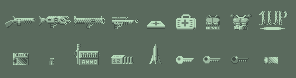 Same sprites in hi-res |
On the February 18th, TRGenius hosts my first Corridor 92 website, and I’m able to finally post screenshots. Two days later, I released the first iteration of Corridor 92 on the TICT message board, and the website. It was little more than a fancy maze, but it a giant leap at the time.
Tom released his FAT engine now supporting single directional sprites, and I quickly went to work.
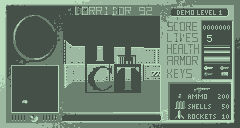 First sprite in C92... TICT! |
Ten days later, I posted a simple demo to demonstrate 8-directional sprites using the “Doomguy” sprite from good ol’ Doom. This same converted sprite set still exists in one of the official FAT demos.
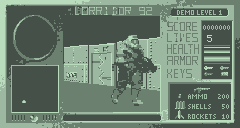 The Doomguy in 4 color glory! Only temporary... |
In the earliest versions, the wall graphics were encoded directly into the executable, just as they were in FAT Demo 1. I hadn’t yet discovered that the TI-92+ has a serious limitation, just as all graphing calculators do: a limit of executable code. 64K in fact, including any of the libraries for displaying graphics, text, etc.
Development of Corridor 92 code continued despite this limit, until I had wrung every bit of RAM and code space out of the system. I was able to add support for the TI89 calculator… a far more popular model. Improve various aspects of the game such as the shooting code, and enemy AI.
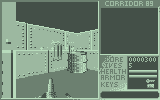 Cody Cutrer Hud Suggestion |
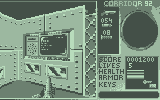 Actual 89 screen with new HUD |
I exported all of the game data to external data variables (files) and recycled as much code as possible. Ultimately, I simply ran out of room in a small small computer… I needed to start over.
The final version of Corridor 92 was released on May 12th, 2002 as a mere five level demo. Many features planned or being developed were simply commented out and saved for the future.
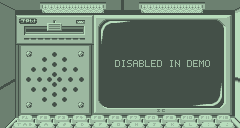 Disabled terminals in Corridor 92 |
Development however continued on a completely new rewrite of the code, focusing on the lessons learned with Corridor 92, which had started as a FAT demo.
Corridor 99 was born in name on May 19th, 2003 with the alpha release nick named ‘The Museum’. It was called that because all of the enemies would just sit there, as there was no AI yet. This new system however would load 94 wall textures, 45 enemy frames, 54 object sprites, 45 effects frames, 32 item sprites ALL AT THE SAME TIME. This was a quantum leap over Corridor 92 with its 15 walls.
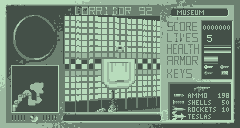 When you gotta go... |
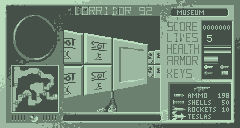 Lots of boxes. |
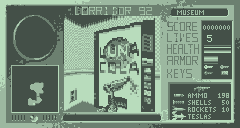 Even on the moon, you need soda |
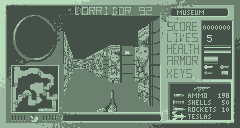 New lunar rock tunnels |
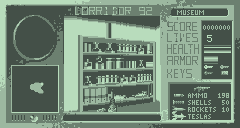 Books, test-tubes, etc. |
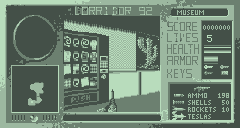 6.50$ for Moon Puffs? Ripoff! |
This could be done due to two new improvements:
The Patching System – in which all textures are created by patches, which can be shared between walls, or even the walls themselves can be used as one giant patch. Due to the low-color 2-bit-per-pixel nature of the calculator screen, some great opportunities are there to recycle many of the patches without the end user even noticing.
Flash Caching – A completed wall, object, enemy, etc. texture is uploaded into the calculator’s archive space. There seems to be a minor speed hit when recalling data from flash compared to RAM, but it is worth it!
 The price you pay for caching... must wait |
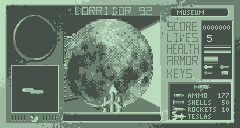 Memory-expensive sprites possible |
The new maps were made with a completely new map editor CORRMAP2. Also written in QBasic, CORRMAP2 not only had a much prettier interface, but supported a better compressed level, averaging only 720 bytes per level BEFORE tipack compression. Once compressed, they averaged only 437 bytes! That’s about 17.5K for the entire level pack of 40 levels… not bad.
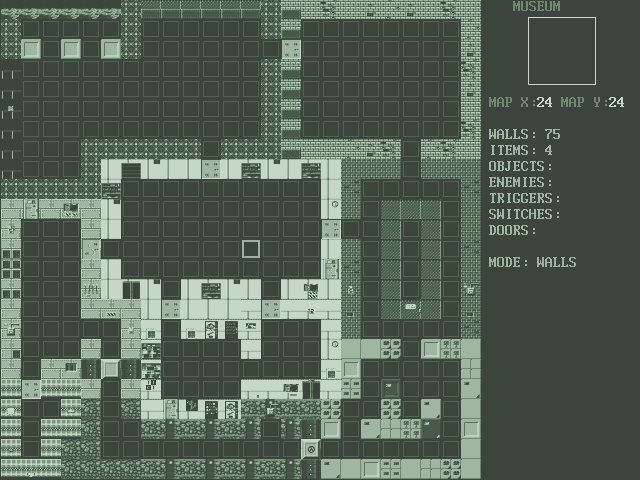 The new CORRMAP2 program. Far more powerful, and more user friendly. |
The Cinematics were inspired by one of the greatest 8bit NES games of all time Ninja Gaiden! Now, Ninja Gaiden was not an FPS game… but it had awesome cinematics that brought an otherwise drab story and poor dialogue to life. The ‘movies’ were also supported by an awesome chiptune score that sadly, the 68K calculators just can’t compete with at present. (Though music is still possible…)
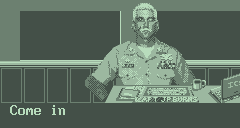 Captain Burns... US Celestial Navy Seal |
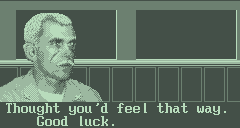 Artificial eye, some nice scars... not a guy I'd want to irritate. |
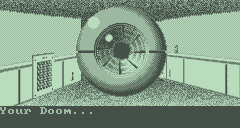 CID's talkative remote drone... |
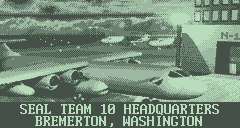 The SC-130X Titan parked in Bremerton |
The fully animated mouths and eyes of the actors as well as panning and scrolling shots were to be done through a library called Cinema68K, however, memory again (or lack thereof) forced me to simplify the movies into simple slideshows with some scrolling text. Not what I had originally hoped for, but a first in TI games none-the-less.
With some extra code space to play with, I added a unique style of main menu. It actually integrates a 3D display into the option selection, with the camera panning to different areas of the room depending on what option you’ve selected. All the while a janitor-bot (one of the new enemies to arrive with Corridor 99) mindlessly scrubs the floor.
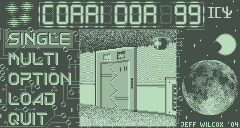 The new Main Menu system |
Corridor 99 also brought functional terminals. Now you could finally get something besides the “Disabled in Demo” message. You could now read email, and establish a satellite link back to HQ to get more information. Other features were still not available.
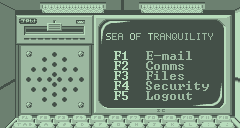 Terminal options menu |
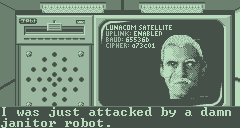 LunaCom Satellite Uplink |
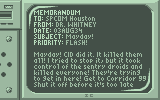 TI89 screen displaying email |
Also added was radar. Similar concept to the motion trackers in the movie Aliens, the radar allows you to spot some enemies based on their heat source. Some enemies are stealthy, so you can’t rely on it entirely and still need to use caution.
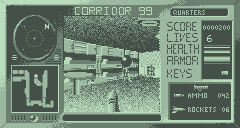 Radar; notice how the mine doesn't show |
One of the better improvements was the new collision system. I called it 4x4 Collision, because every map square overlaps no less than 16 smaller collision boxes or sub-blocks.
Using a very efficient storage method for these sub-blocks, small objects like barrels can now block your path. Also, the camera can never get close enough to a wall to stare through it, or witness a very stretched and distorted wall texture. Finally, the days of getting stuck on a wall are over, as the system is water-tight, allowing you to slide along the walls and around corners without ever getting stuck.
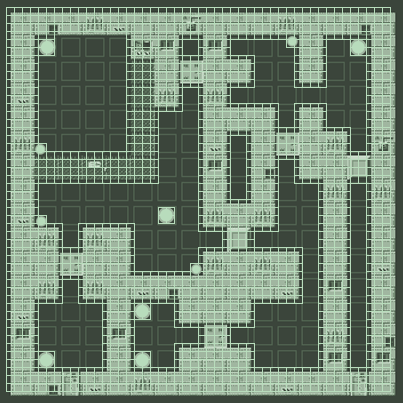 New 4x4 collision map overlaying level map |
Multiplayer CTF was planned, and two levels, special textures and two flag objects exist, but again, I was beginning to run out of code. This time, I had been careful to preserve as much code space as possible and was definitely making compromises I didn’t want to make (such as frame-rate) at the expense of lighter code. So, development slowed down, and after one or two real-life major events that dragged my attention from programming games, finally stopped. The nails in the coffin were that latest website I had tried to build was hacked somehow, and since it was a 30 day trial web-server, I just let it go. Unfortunately, no backups of those news releases exist…
Two new enemies made their debut with the Corridor 99 demo released on April 9th, as well as 10 levels, only 4 of which were in Corridor 92. Though only a few enemies were in the demo, its data files actually contained code and images for 15 enemies not including the two NPCs (soldier and scientist). Two new and fully functional weapons were present as well, the sniper rifle and grenade launcher as well as new kinds of rockets. But with the release on the 14th of April, 2005 of the last version… for the next four years, this project would sleep.
On May 5th of 2007 I had posted my intent on reviving the project, but without a website, I couldn’t find the motivation, and again the project slipped into backburner mode.
On the 12th of January, 2009 (following my New Years Resolution) I again dusted off the code, and began to experiment with new memory management concepts. One of the new ideas is to break the executable into sections, and chain them together so that the entire game isn’t loaded all at the same time.
For example:
When you’re in the main menu, the code for opening and closing doors is in RAM when it shouldn’t be. Message handling, emails, weapon selection, item pickup… none of it needs to be loaded for the main menu. Conversely, the main menu code doesn’t need to be in RAM when running the game. Though I still have yet to implement it, this may be the fix I’ve been looking for.
On the 26th of March, 2009 I was graciously offered free web hosting at TIfreakware by Daniel Thorneycroft. Unlike in 2007, I’ve spent the last two years building and maintaining websites, and code HTML in notepad… so I was eager to build a cool site.
Recently, on the C99 front I’ve begun to migrate the patching system, flash cache and map system over to the FAT engine itself. This has already freed up 10K, and now the sky is once again the limit.
Development is ongoing…